OPSWAT lieta di annunciare il rilascio di MetaDefender Drive .4.0. Questa versione offre un controllo avanzato sulla determinazione dell'affidabilità dei dispositivi e integra Predictive Alin AI, con il suo sistema di rilevamento predittivo delle minacce basato sull'intelligenza artificiale, in tutti i livelli del motore, consentendo una maggiore sicurezza per i dispositivi transitori all'interno di ambienti air-gapped.
Determinazione dei dispositivi non sicuri basata su criteri
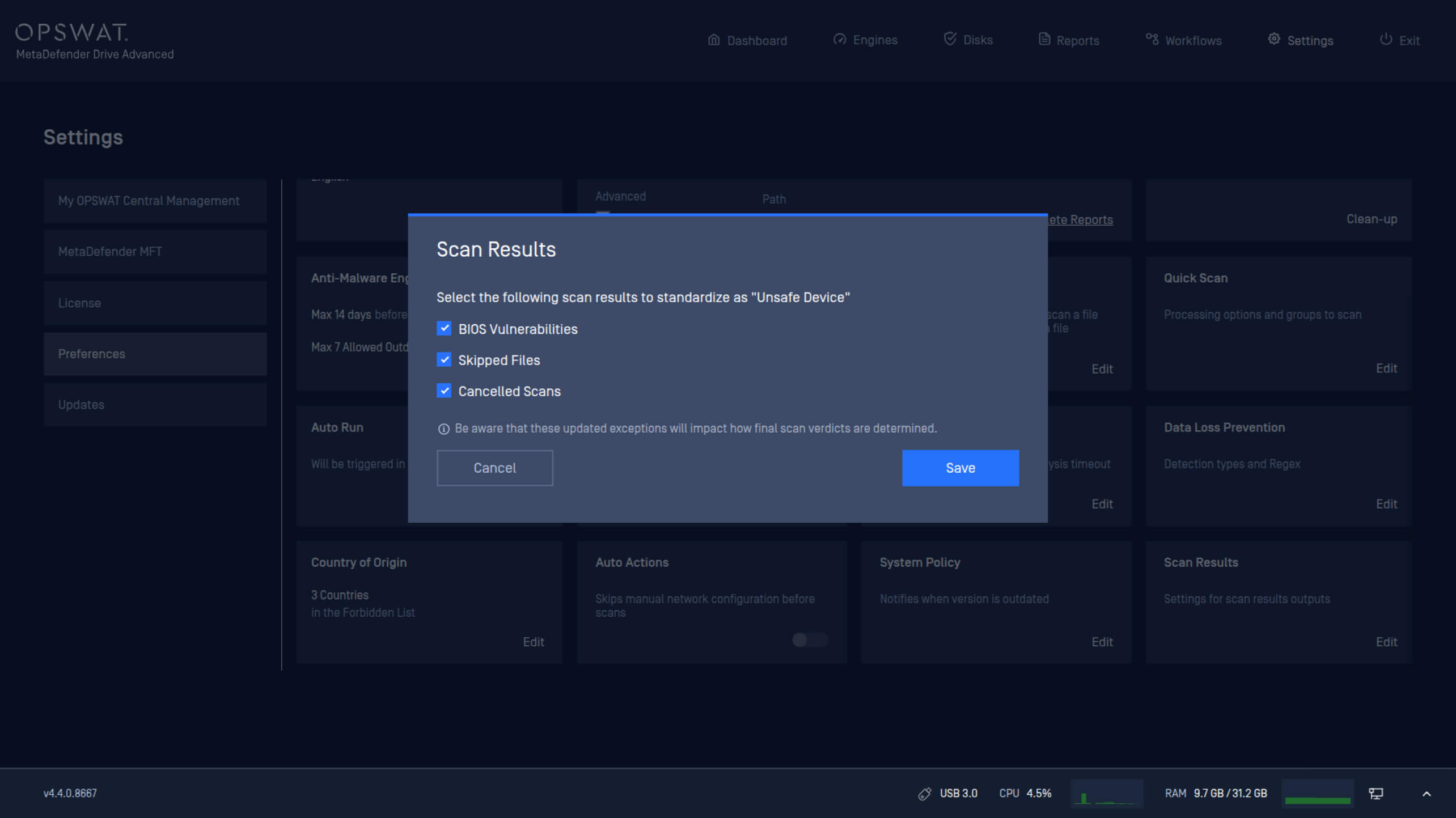
Le normative sulle infrastrutture critiche richiedono criteri diversi per determinare se un dispositivo sia affidabile prima che si connetta a sistemi critici all'interno di zone air-gapped. Questa versione introduce nuove impostazioni dei criteri che consentono agli amministratori di definire le condizioni per classificare un dispositivo come non sicuro.
Drive MetaDefender Drive possono ora configurare le politiche di sicurezza dei dispositivi in base a:
- Stato del BIOS.
- File saltati durante la scansione.
- Scansioni annullate.
Abilitazione dell'intelligenza artificiale predittiva Alin su tutti i livelli del motore
Drive integraDrive Predictive Alin AI in tutti i livelli del motore. È dotato della capacità di prevedere i risultati prima dell'esecuzione per un rilevamento delle minacce più approfondito e accurato. Questa integrazione aiuta a rilevare i file dannosi sui dispositivi temporanei prima che vengano collegati a sistemi critici.
Riattivazione della licenza per abilitare l'intelligenza artificiale predittiva Alin
Per attivare Predictive Alin AI, è necessario riattivare la licenza.
Riattiva suMetaDefender Drive
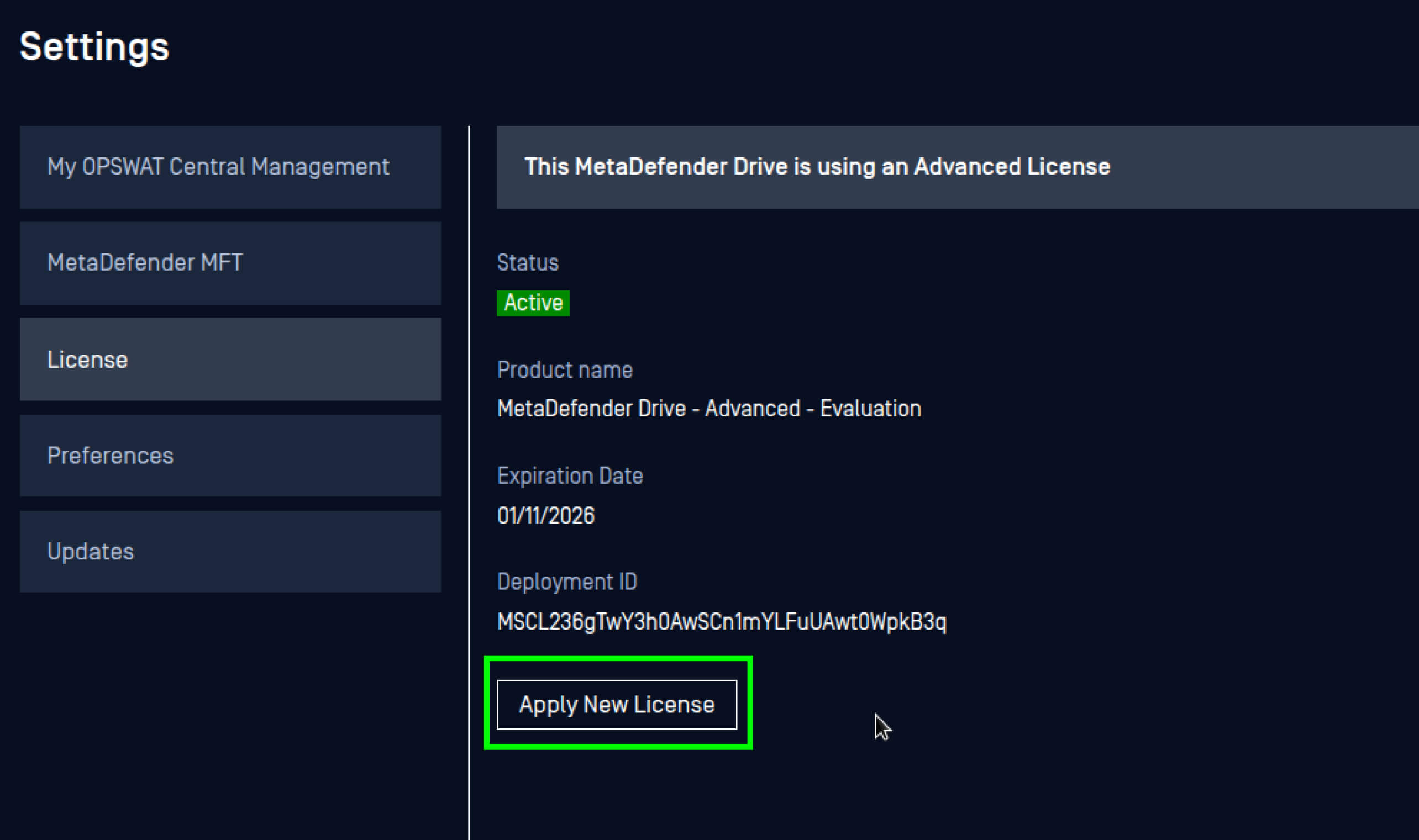
- Vai su Impostazioni, poi su Preferenze e apri le impostazioni della licenza.
- Fai clic su Applica nuova licenza.
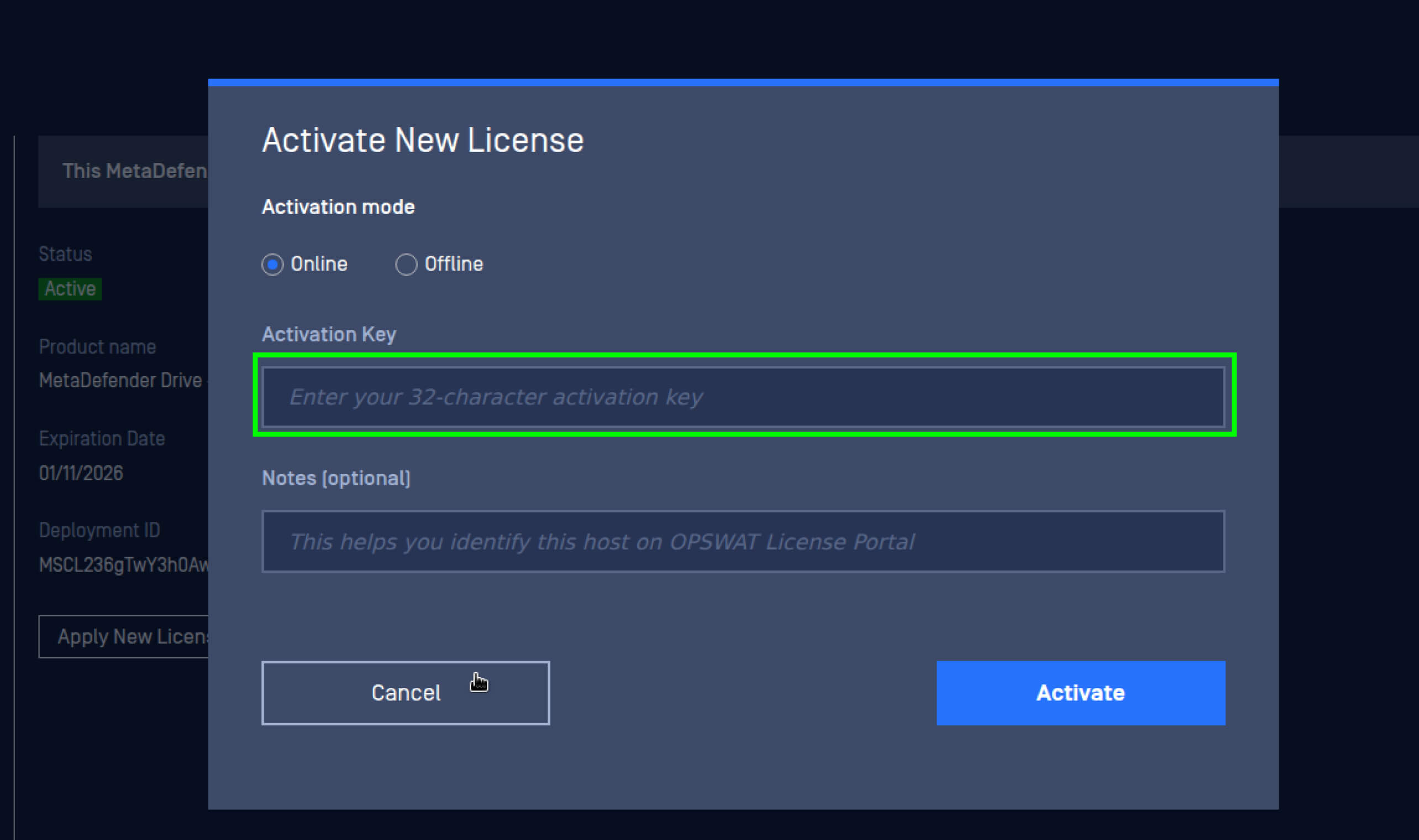
3. Inserisci la nuova chiave di licenza, quindi fai clic su Attiva.
Riattiva suMetaDefender Drive Smart Touch
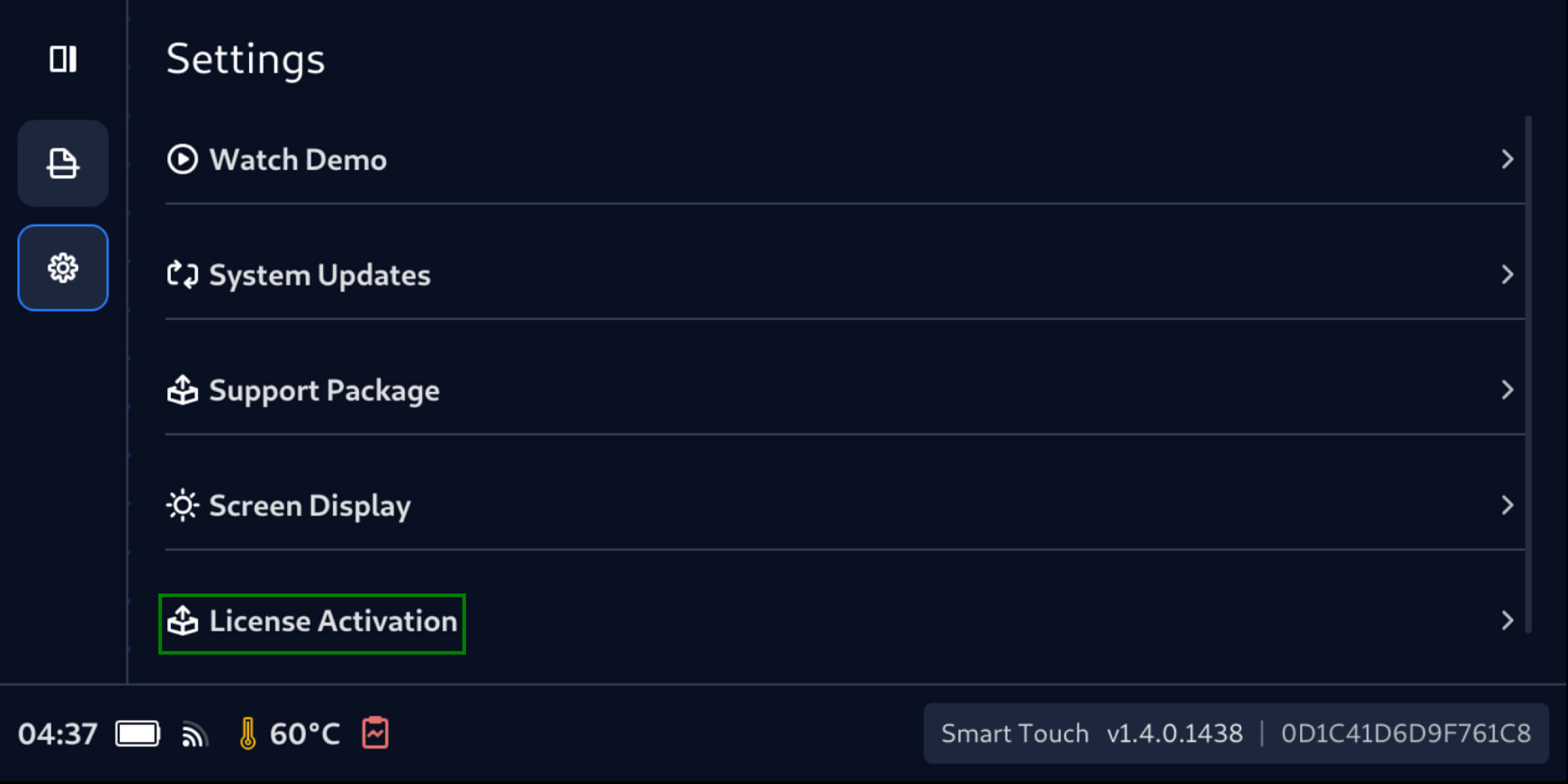
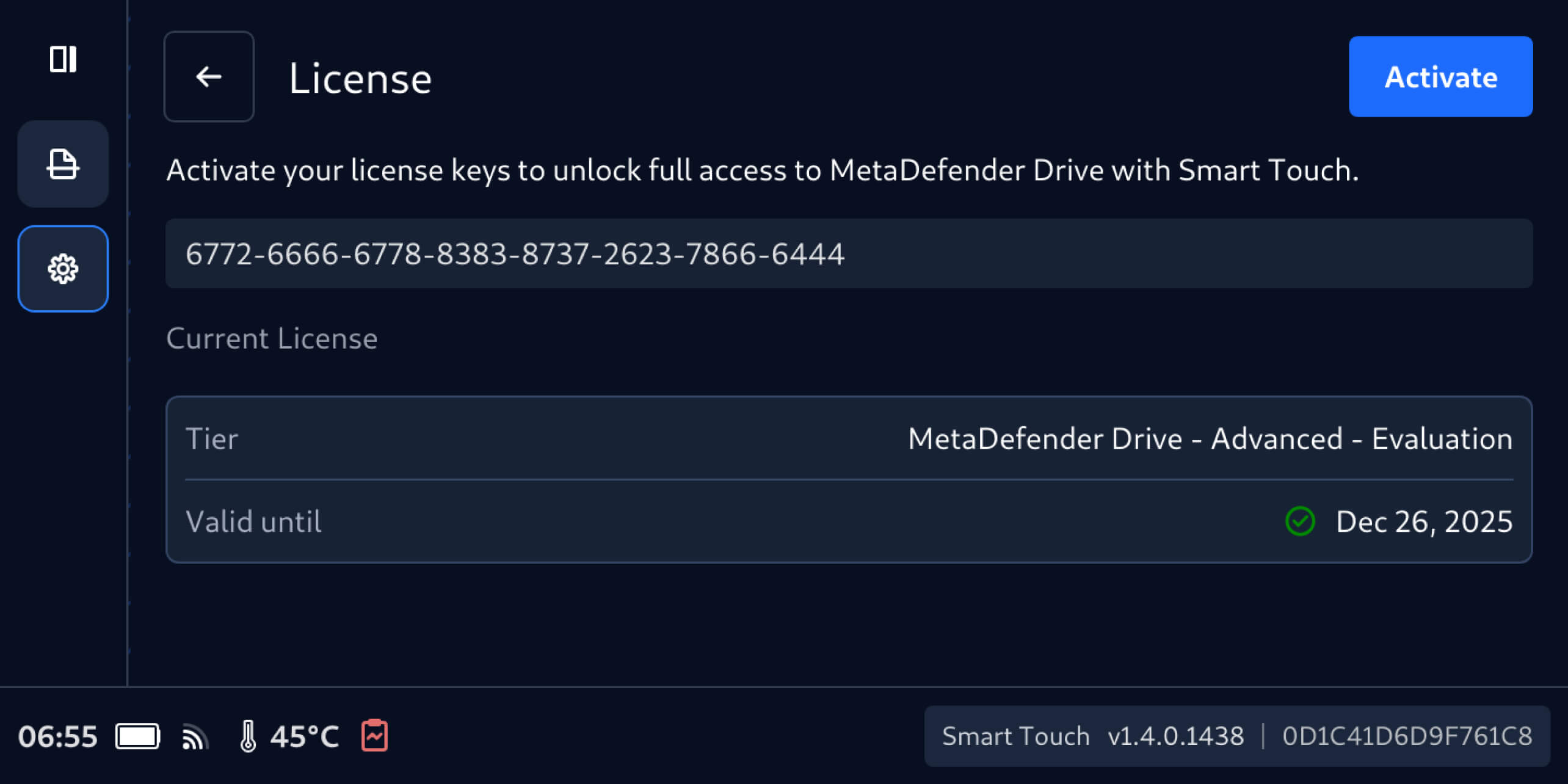
- Vai su Impostazioni, quindi su Attivazione licenza.
2. Nella schermata Licenza, inserisci la nuova chiave di licenza, quindi seleziona Attiva.
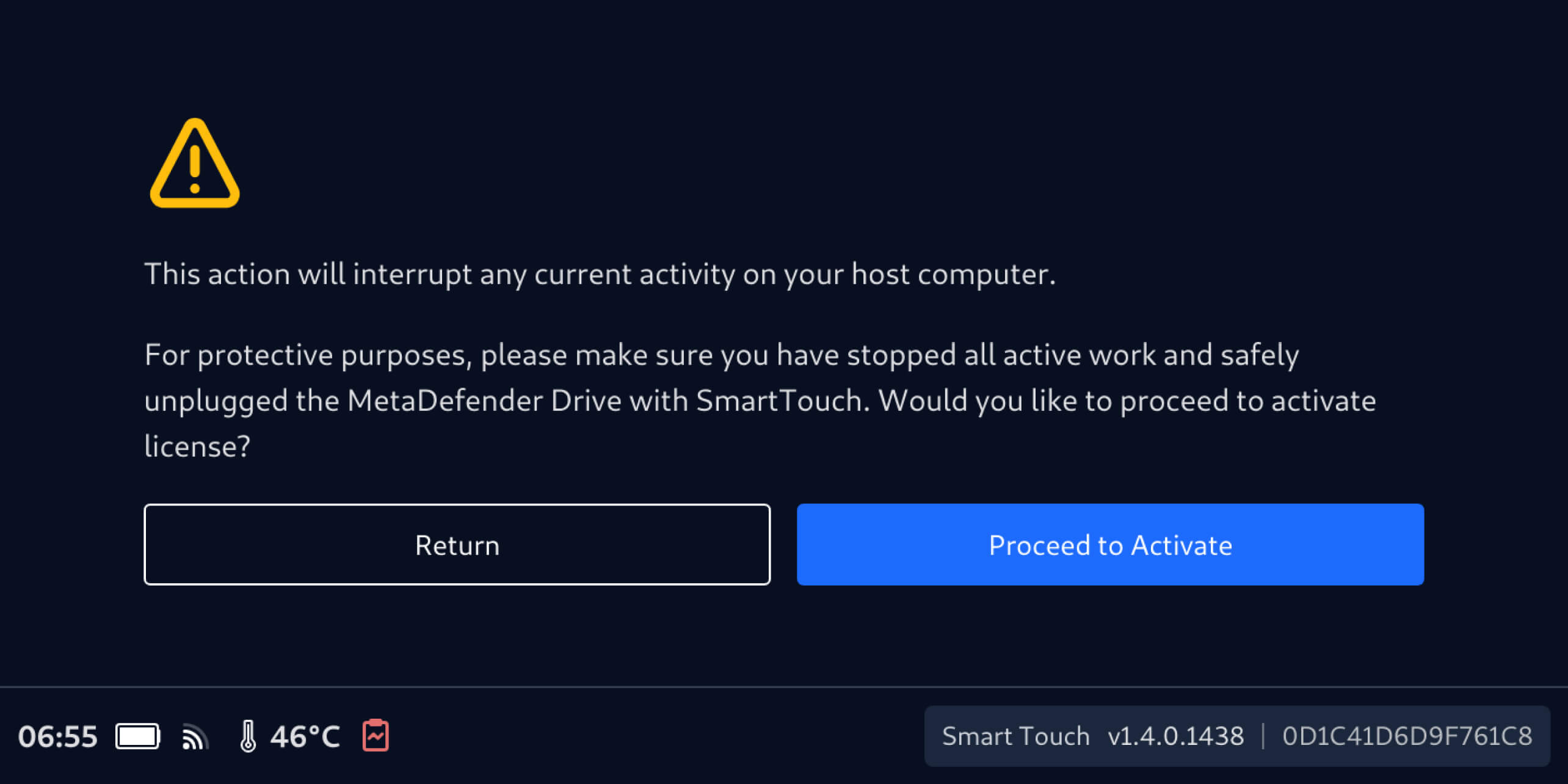
3. Assicurarsi che MetaDefender Drive Smart Touch non stia eseguendo alcuna operazione di scansione sul dispositivo host, quindi selezionare Procedi all'attivazione.
Riattiva tramiteMetaDefender Drive
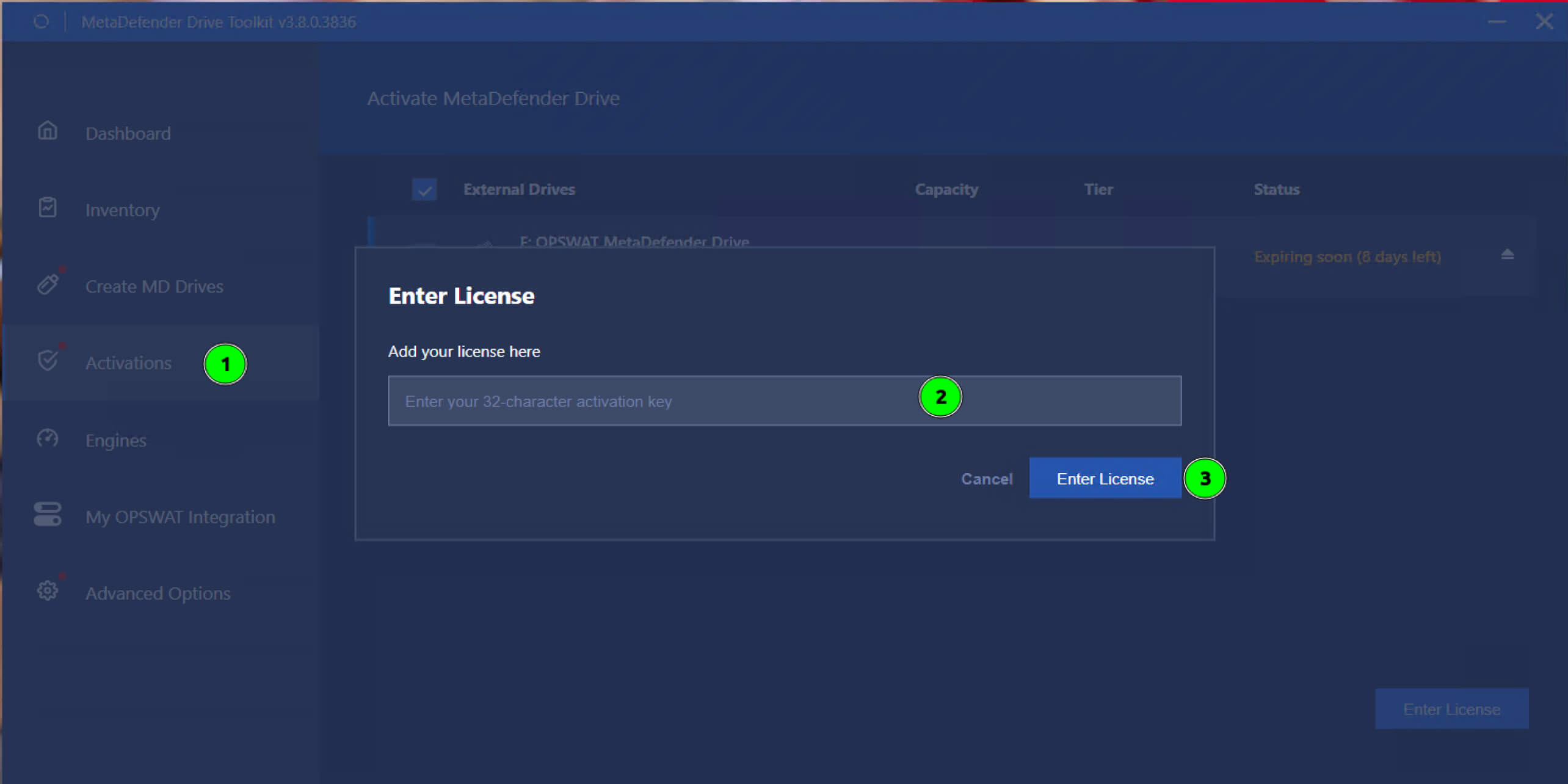
- Aprire la schermata Attivazioni.
- SelezionareDrive MetaDefender Drive deve essere riattivata.
- Inserisci la nuova licenza eclicca su Inserisci licenza.
Dettagli sul rilascio:
- Prodotto: MetaDefender Drive
- Data di uscita: 16 dicembre 2025
- Note di rilascio: Per saperne di più clicca qui
Per aggiornare MetaDefender Drive, scaricare l'ultima versione di MetaDefender Drive Toolkit e seguire le istruzioni di installazione.

